My Timesheet
The My Timesheet Widget gives you a simple way of accessing your current Timesheet directly from your Dashboard.
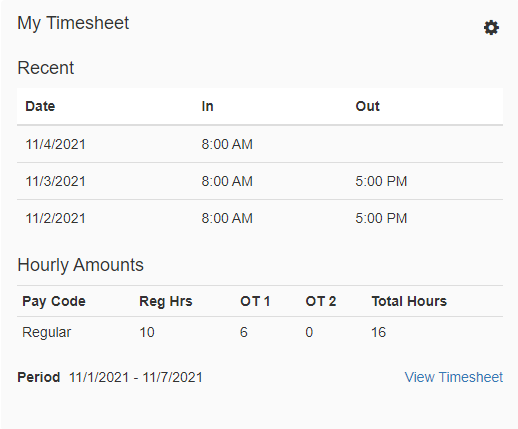
Navigating the Widget
-
Open Timesheet
Open your unopened Timesheet for the current Pay Period by clicking on 'Open Timesheet'. -
In/Out Punches
View your In/Out punches for your current Pay Period under the columns labeled 'In' and 'Out'. -
Total Hours Worked
View your total hours worked with breakdowns for 'Regular Hours' and 'Overtime Hours' for the current Pay Period under 'Hourly Amounts'. -
View Timesheet
Click on 'View Timesheet' to get redirected to your Timesheet for the current Pay Period. -
Settings

Access the settings to change the title or to adjust the attributes of the Widget.